ROUND PUCK / CORNE DOCK

Closer to
your keys.

A removable home for your Ø46 mm trackpad, right beside the Corne. Magnets underneath. Rubber feet stay on. Two independent devices.

Fit prototype · check your keyboard first
Drag to rotate · scroll to zoom

Loading the actual STL files…

Green: printed dock. Dark: your existing puck. Pale: upstream Corne outline and illustrative keycaps; not a measured Keebart fit model.

Open viewer ↗
EXISTING PUCKØ46 × 13.5 mm

Body, excluding rubber feet

CRADLE FITØ46.5 mm

0.25 mm radial clearance

TOUCH PLANE18.0 mm

Default; calibrate to your keycaps

ATTACHMENT4 × Ø8 mm

1 mm magnets + added steel targets

01 / THE CONNECTION

Set down. Snap on.

The straight edge sits beside the keyboard with a 0.3 mm assembly gap. A slim tongue slides under the case and meets four adhesive steel targets. The circular cradle supports the puck on a ledge.

The open underside clears the puck’s existing feet. A rear notch leaves its USB port accessible, and four holes keep the case screws reachable. Lift the puck out whenever you need it separately.
02 / THE FIT

Measure once. Print the small one first.

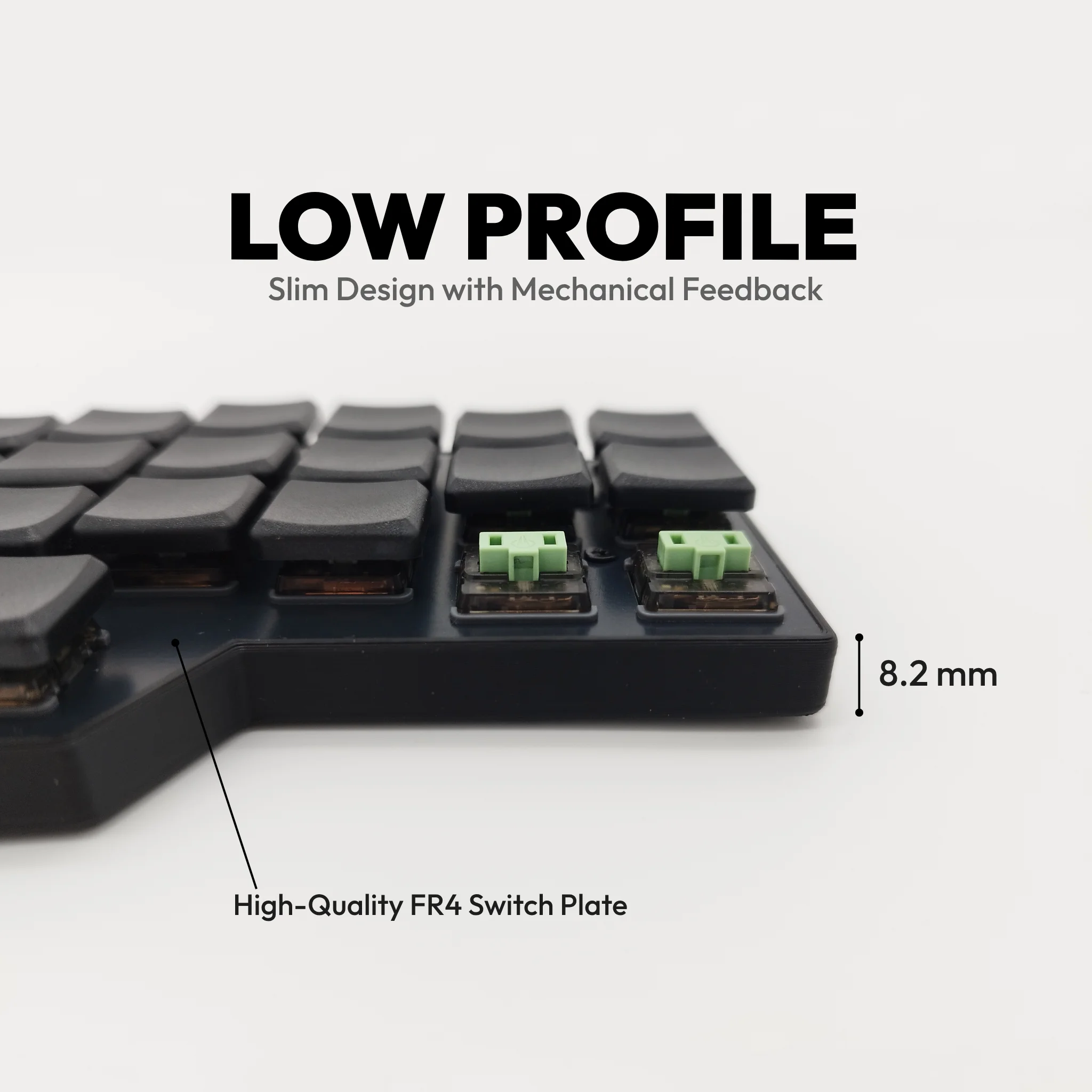
Keebart’s own product image shows an 8.2 mm case profile. Exact case contours, foot locations, and keycap height are not confirmed for your keyboard.

This default uses a 2 mm keyboard-foot height, a 16 mm underside-to-keycap height, and the V6 CAD’s 4.5 mm puck feet. Check those measurements, plus 36 mm of straight case edge, with the fit coupon. Matching the case rim instead requires keyboard risers.

03 / MAKE IT

From model to desk.

PETG · 0.20 mm layers · 4 walls · flat side down

Hardware: four Ø8 × 1 mm magnets, four Ø8 × 0.2 mm ferromagnetic steel targets, approximately 0.1 mm adhesive behind each target, and glue for the magnet pockets. Plastic and aluminium need the added steel targets. This is not a MagSafe ring mount.

Dimensions, build instructions, and sources +

Geometry and mesh validation results are included with the model.

These checks verify the configured CAD dimensions. Physical fit, printer tolerance, and magnet holding force still need a test with your hardware.